For homeowners who care
Your home's complete repair history, in your pocket
The home repair tracker that documents every fix, tracks warranties, and generates professional reports — all in under 60 seconds.
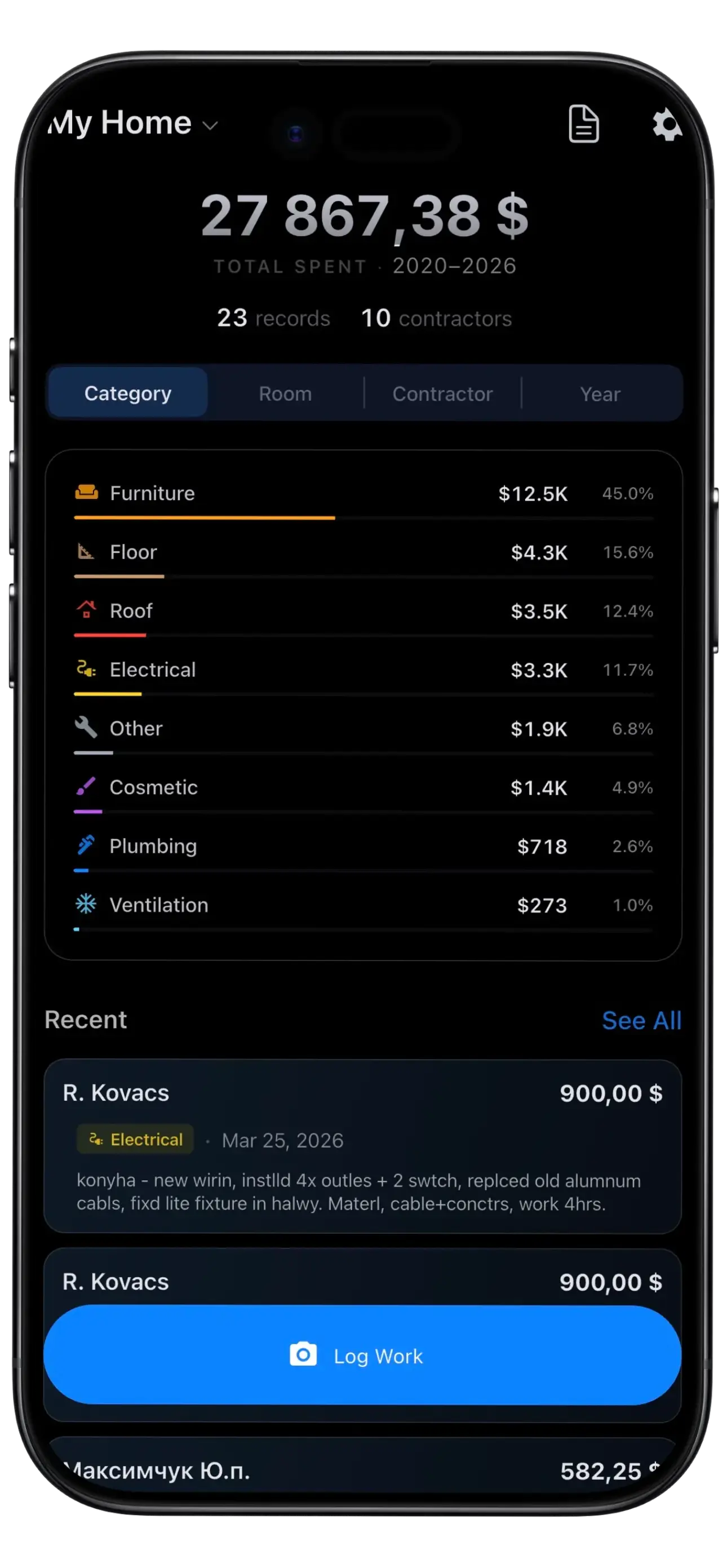
Dashboard
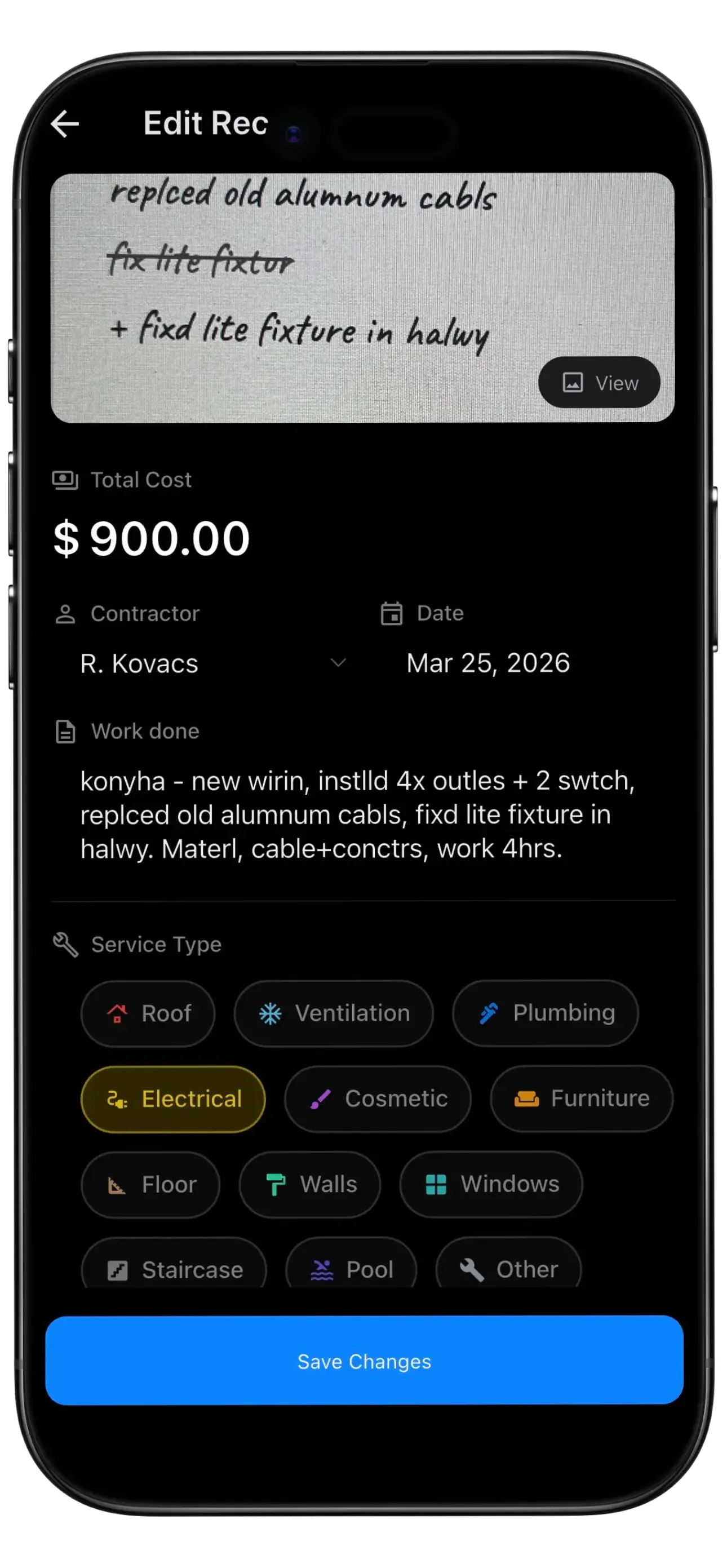
AI Receipt Scanning
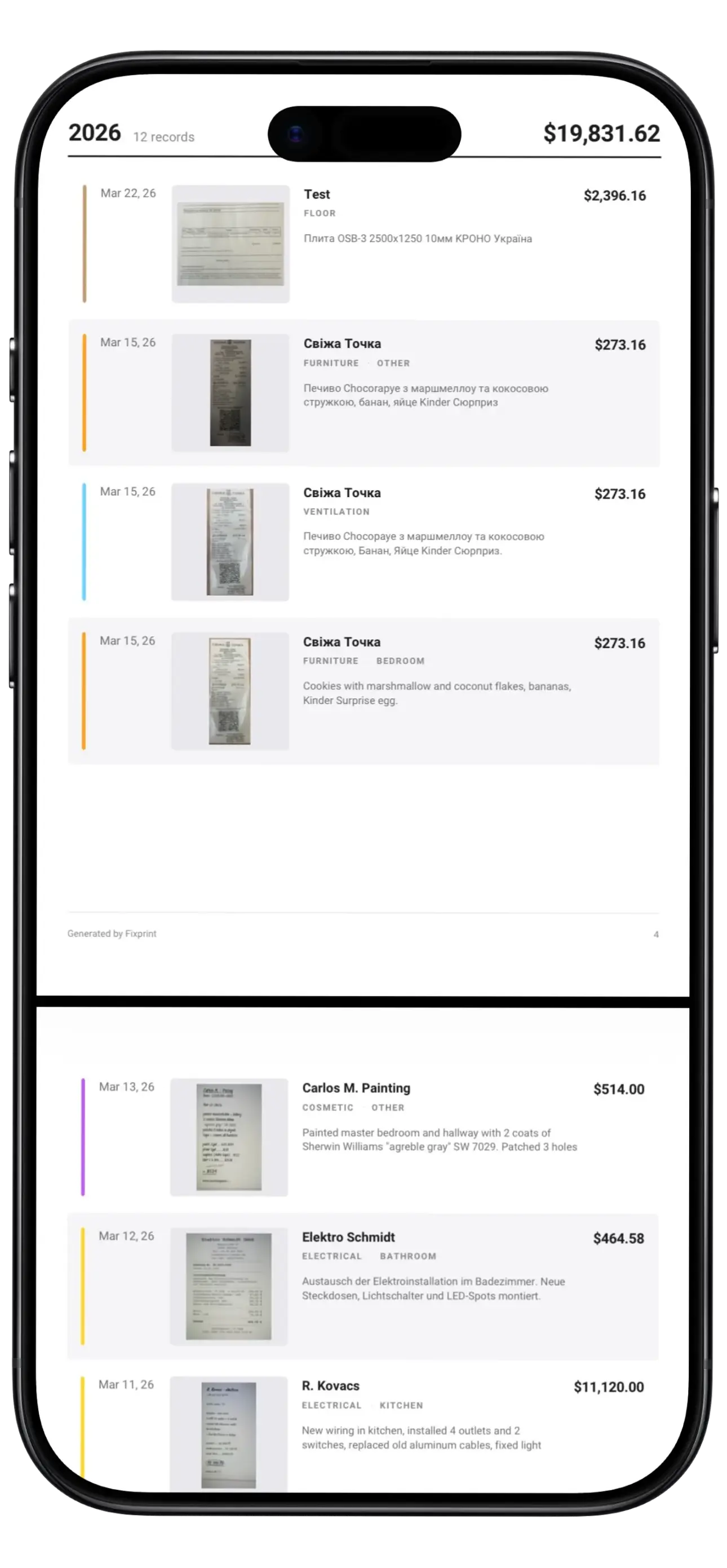
Home Report
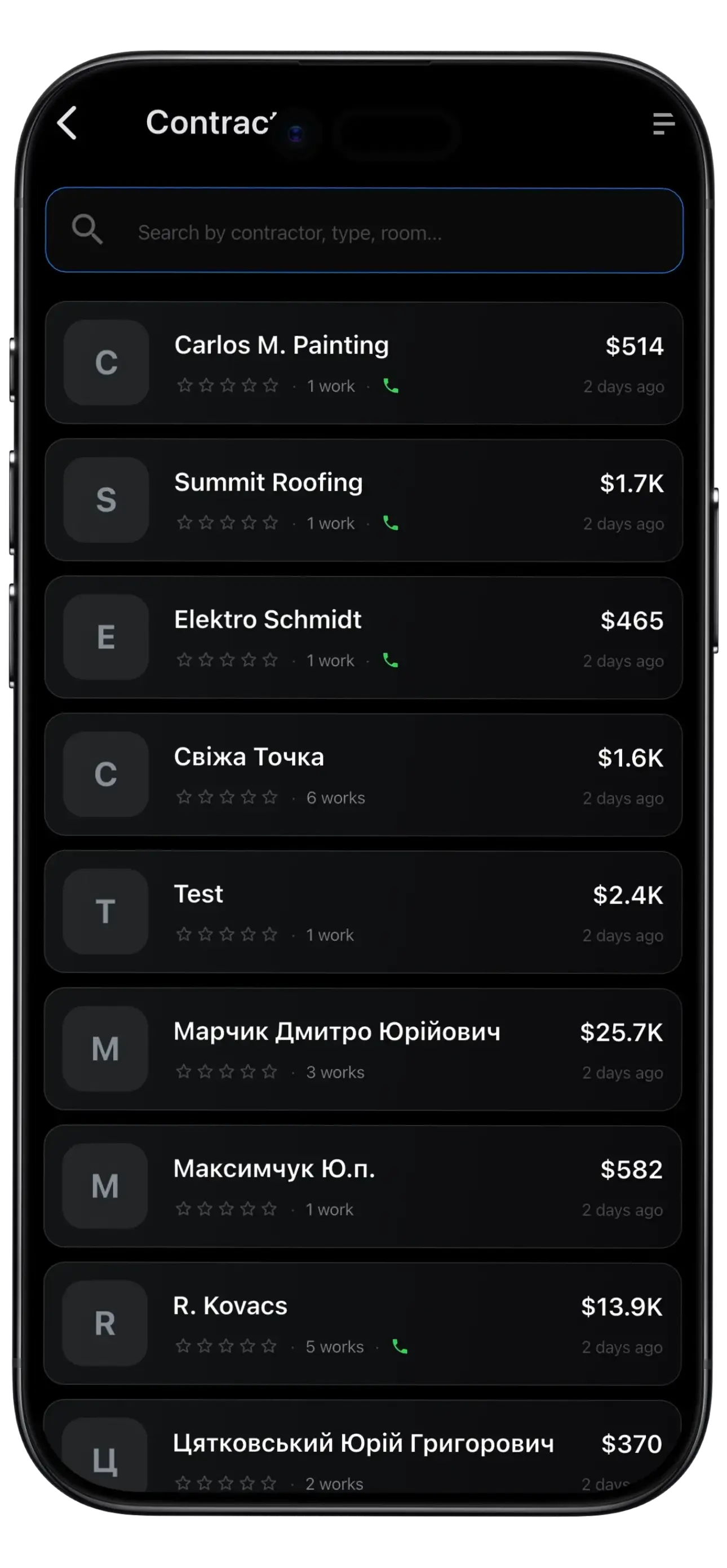
Contractors
The problem
Sound familiar?
Every homeowner has been here. Important home maintenance records lost, scattered, or never documented in the first place.
Selling your home
Buyers want proof of upgrades. Undocumented work leads to lower offers and longer negotiations.
Insurance claims
"Prove you replaced the roof in 2019." Good luck finding that receipt in a shoebox.
Tax time
Home office deductions require improvement records you can never seem to find when you need them.
Features
Everything your home needs,
nothing it doesn't
Six tools that turn home repair chaos into organized confidence.
Quick Capture
Snap a receipt, save in 30 seconds. The fastest way to log home repairs — photo-first, text-second.
AI Receipt Reading
AI extracts contractor name, date, cost, and service details from your receipt automatically. No manual data entry.
Room Mapping
Tag work to specific rooms in your house. Filter by kitchen, basement, roof, or any room — find records instantly.
Contractor Directory
Your private contractor directory with ratings, notes, and work history. One-tap call for your next home repair.
Warranty Tracking
Track home warranty expiration dates and get reminded before coverage expires. Never miss a warranty claim.
Home Reports
Generate professional PDF home reports for selling your house, filing insurance claims, or calculating tax deductions.
Ready to organize your home?
Get Early AccessHow it works
Works when you need it most
Three moments where Fixprint earns its place on your home screen.
After the contractor leaves
Sarah snaps a photo of her receipt, AI reads it, done in 30 seconds. The work is saved forever.
30 secondsPreparing to sell
One tap generates a professional home report with every upgrade documented. Send it to your realtor.
One tapFiling an insurance claim
Search "sump pump", find the receipt instantly, email the proof to your adjuster. Claim approved.
Instant searchStep-by-step guide
How to Document Home Repairs in 5 Steps
A simple system that turns receipt chaos into professional documentation.
Photograph Receipt
Take a clear photo of the receipt immediately after work completes. Include contractor name, date, cost, and scope.
Upload to Fixprint
Open Fixprint. Select 'Quick Capture'. Upload from gallery or snap directly in the app.
Confirm AI Details
AI auto-extracts contractor, date, cost, and details in 10 seconds. Review and correct if needed.
Tag Room & Category
Assign to room (kitchen, bathroom, roof) and category (plumbing, electrical, HVAC, cosmetic).
Store & Generate Reports
Warranty details extracted automatically with expiry reminders. Generate professional PDFs for selling, insurance, taxes.
Why it matters
The Complete Home Repair Documentation Solution
What is home repair documentation?
Home repair documentation is the practice of systematically recording and storing evidence of maintenance, upgrades, and improvements made to your property. This includes original receipts, contractor invoices, work descriptions, dates, costs, and warranty information organized by room and category. Professional documentation proves work quality to buyers, insurance companies, and tax authorities. Digital, searchable documentation is far superior to paper records and shoeboxes.
Complete home repair documentation helps you:
-
Sell your home fasterDocumented upgrades command higher prices and speed up closing with buyer confidence.
-
Win insurance claimsProfessional receipts and reports are accepted as proof by insurance adjusters and accelerate claim processing.
-
Claim tax deductionsEnergy upgrades and home office improvements often qualify for federal tax credits with proper documentation.
-
Track warranty coverageNever miss a warranty expiry date. Fixprint sends reminders and stores all warranty details in one place.
-
Plan maintenanceSee when major systems (roof, HVAC, plumbing) were last serviced and plan proactive replacement.
-
Preserve home equityComplete repair history increases perceived home value and demonstrates meticulous home stewardship.
Join homeowners who document smarter
Get Early AccessPricing
Simple, transparent pricing
Start free. Upgrade when you need more.
- 1 home
- Unlimited work records
- 5 AI receipt scans/month
- Basic filters (type, room)
- Camera capture & photo storage
- Offline-first
- Everything in Free, plus:
- Up to 2 homes
- 50 AI receipt scans/month
- PDF home report
- All advanced filters
- Warranty expiry reminders
- Cloud sync across devices
- Contractor directory with ratings
- All 5 languages
- Everything in Pro, plus:
- Unlimited homes
- Unlimited AI receipt scans
- Priority AI processing
- Advanced analytics & trends
- Export data (JSON)
- All future features
Questions
Frequently Asked Questions
Everything you need to know about documenting and organizing your home repairs.
How do I document home repairs?
Snap a photo of receipts. AI extracts contractor, date, and cost. Tag to rooms. Organized instantly in 30 seconds.
How do I track home improvement receipts?
Photograph immediately. Organize by category and room. Use dates and contractor info to build timeline. Fixprint automates all of this.
What is a home repair tracker app?
A digital tool that documents work, stores receipts, sets warranty reminders, and generates professional home reports for selling and insurance.
How do I organize home maintenance records?
Use a hierarchy: first by room (kitchen, bathroom, roof), then by category (plumbing, electrical, HVAC). Digital storage beats paper filing.
How do home upgrades help when selling?
Documented upgrades increase property value. Buyers trust professional receipts. Undocumented work is ignored in valuations, costing thousands.
How do I prove improvements for insurance?
Insurance needs receipts, invoices, permits, and photos. Fixprint generates professional reports that insurers accept as proof.
What's the best warranty tracking app?
Apps that read warranty details from receipts, set expiry reminders, and store everything offline-first. Fixprint covers all of this.
Are home improvements tax deductible?
Many improvements qualify for deductions/credits if documented. Energy upgrades often qualify for tax credits. Organized records make tax time easier.
How often should I update records?
Photograph receipts immediately after work completes. Update monthly. Prevents lost receipts and ensures nothing is forgotten.
Coming soon
Coming soon to iOS and Android
Be the first to know when Fixprint launches. Join the waitlist and never lose a home receipt again.
No spam. Just one email when we're ready.